
Jointra for instructors
Free classroom tools for EMS instructors.
Assign protocol-cited practice, track student progress, and see what your class gets wrong.
How it works
Request access and get approved
Tell us your program, your role, your work email and the track you teach. We review each request and email you when you're approved.
Create a class and share the join code
Name the class, pick the track and the term dates. You get an eight-character join code and a link to send your students.
Assign practice and review results
Set assignments with available-from and due dates, then watch completion, pace and the questions your class gets wrong.
What you get
Topic and picked-question assignments
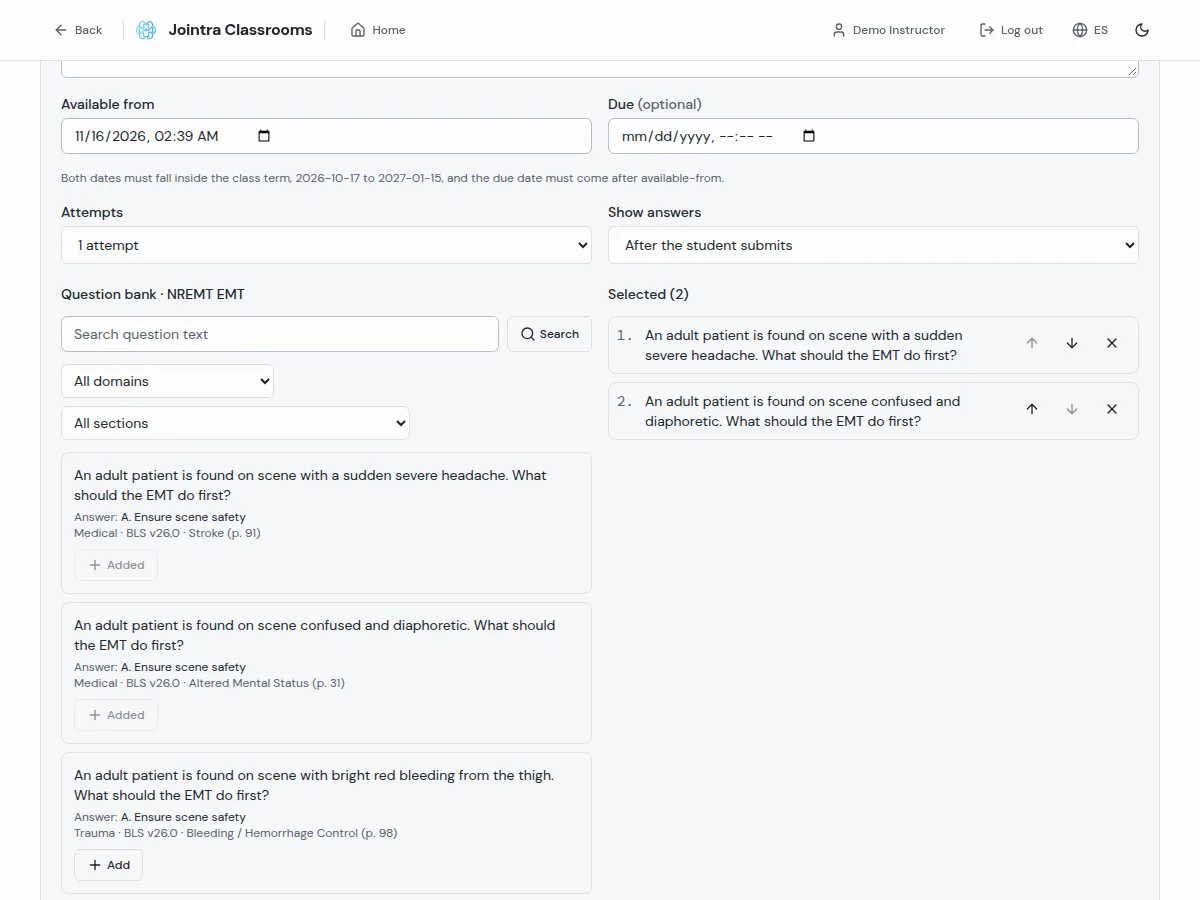
Build a topic set from blueprint domains and, if you like, specific protocol sections — each student gets their own draw — or hand-pick questions from the bank in the order you want. Set an available-from date, a due date, one attempt or unlimited, and whether answers show after submitting or after the due date.
Progress and pace
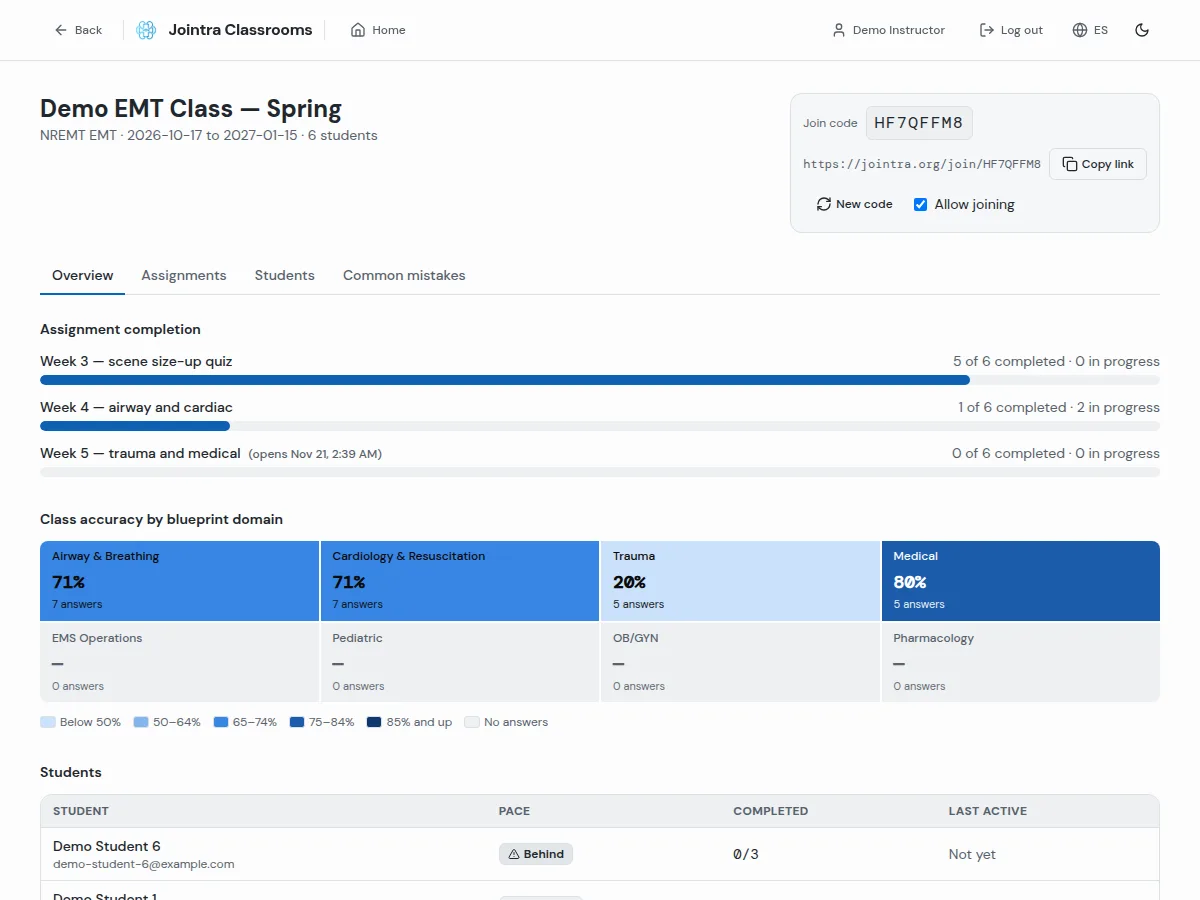
See who hasn't started, who is in progress, who finished and who submitted late, assignment by assignment. Students whose completed work lags the time that has passed are marked behind, so you can check in before the due date.
Domain accuracy heatmap
Class accuracy by blueprint domain at a glance, with the percentage and number of answers printed in every cell.
Common Mistakes
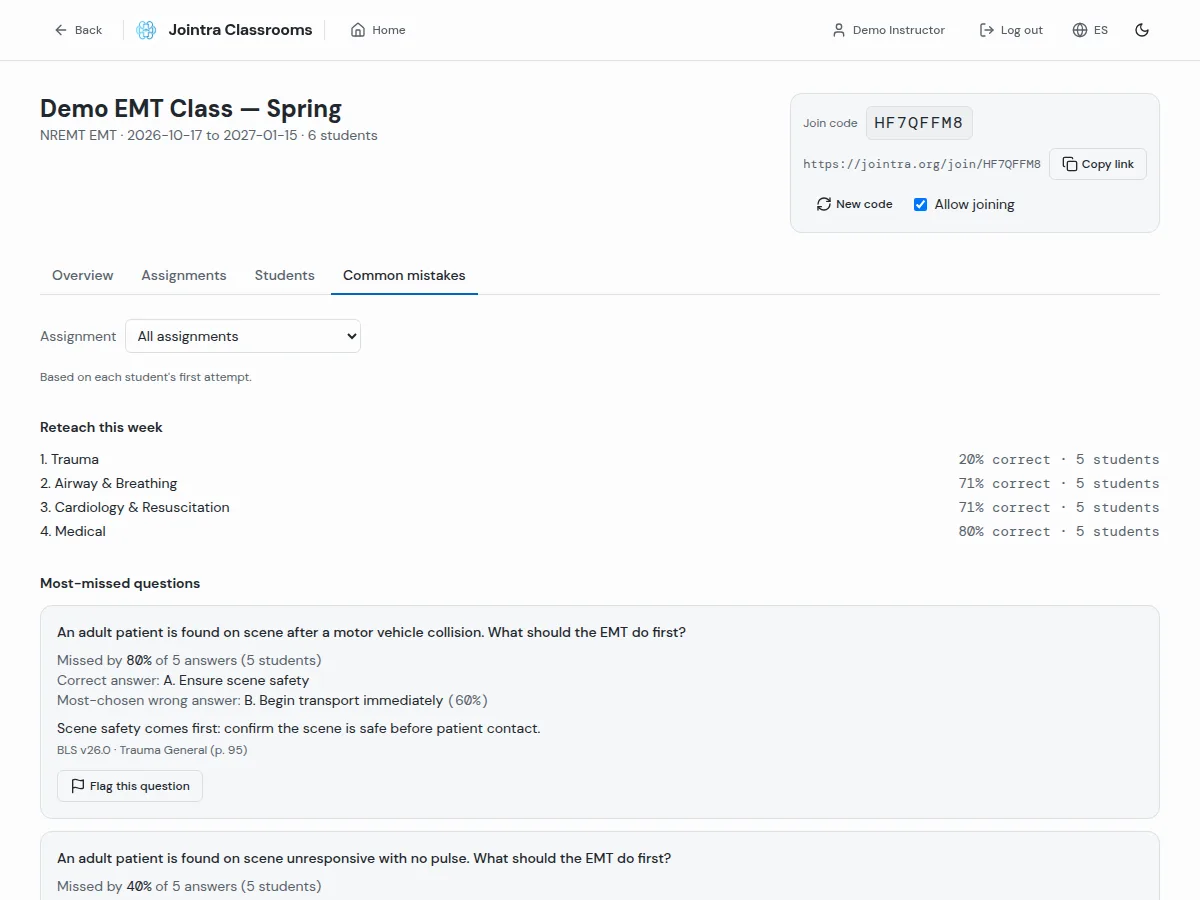
The most-missed questions with the correct answer and the most-chosen wrong answer, the weakest protocol sections, and a reteach list of the lowest topics. Based on each student's first attempt, and anything answered by fewer than five students stays hidden.
Flag questions for review
Think a question is unclear or wrong? Flag it with a reason and it goes to our content review queue, checked against the cited protocol. Instructors don't edit questions directly.
Where the questions come from
Every study question on Jointra is written from a primary source document — not from a textbook summary and not from memory. Which document depends on the track you select, and each question carries a record of where its answer came from.
These questions are drafted from the New York protocols Jointra is built on — the NYS DOH Statewide BLS Protocols v26.0 and the NY Collaborative ALS Protocols v26.0 — and are then cross-verified against the two documents the national exams are actually built on: the 2021 National EMS Education Standards and the National EMS Scope of Practice Model.
Every study question, article, and protocol reference is written or reviewed by a licensed NYS/NREMT-EMT with active field experience.
Assignments only use questions that carry a protocol citation. How Jointra sources questions
Student privacy
- Students join only with your class code, and see a consent screen that explains what you will see before they join.
- You see their results on class assignments and their accuracy by topic on your class's track. Their personal practice is visible only if they choose to share it, and they can turn that off at any time.
- To identify students you see their name and email address only. There is no messaging of any kind.
- Class data is deleted 365 days after the class's term ends.
Questions
- What does it cost?
- Nothing. Classroom tools are free, like everything else on Jointra.
- Who can apply?
- EMS instructors: lead instructors, lab instructors, course coordinators (CICs) and others who teach an EMT, AEMT or paramedic course. Use the request form to tell us your program, role, work email and track.
- Which tracks are supported?
- All six: NREMT EMT, NYS EMT, NREMT AEMT, NYS AEMT, NREMT Paramedic, NYS Paramedic.
- What do students see?
- Students join with your class code and see a consent screen that says exactly what you will see before they join. They then get a My Class tab with their assignments, due dates and status, and their results once your answer-reveal setting allows. They can turn sharing of their personal practice on or off and leave the class at any time.
- How long does approval take?
- We review requests manually. You'll get an email when yours is approved.
- How long is class data kept?
- Class data — the roster, assignments and the link between students' answers and your class — is deleted 365 days after the class's end date. Students keep their own practice history.
Ready to set up your class?
Request instructor access